


Hour one: comfortable. Hour three: cold hands, warm torso. Hour five: sweating under a hoodie you can’t be bothered to take off because your headset’s on and you’re mid-match. Anyone who’s spent a January weekend at a desk knows the cycle.
Dressing for long winter gaming sessions is an underrated problem. You’re mostly stationary, so your body generates less heat than usual. You’re often in the coldest room of the house, because that’s where the desk fits. And you’re wearing a headset, which rules out anything with a hood that gets in the way. Here’s how to dress for it properly.
Why is a gaming desk colder than the rest of the house?
Two things. Sitting still for hours lowers your metabolic heat output compared to moving around, so the same room temperature feels colder at the desk than it did when you walked in. And PC setups tend to end up in spare rooms, basements, or corners far from the main heating.
Your hands and feet suffer most because circulation drops when you’re seated. Your core, meanwhile, is near a machine that’s pumping out warm air. The result is the classic gamer paradox: cold extremities and a sweaty back.
Layer for the torso, insulate the extremities
The fix is to stop treating your body as one temperature zone.
Core: something you can open or remove without taking off the headset. An open-front knit is the ideal garment here. A cardigan can be shrugged off one shoulder at a time mid-game, buttoned up when the room cools at 11 p.m., and it never interferes with a headset the way a hood does.
Hands: fingerless gloves or wrist warmers. Warm wrists keep the blood flowing to your fingers and don’t affect grip on a mouse or controller. Full gloves are a no.
Feet: thick socks and slippers with actual soles. Cold feet make the whole body feel cold, and floor-level is always the chilliest air in the room.
Fabric choices that matter
Cotton fleece hoodies are the default and they’re the wrong default. They trap heat well, then hold sweat against your back once you’ve warmed up, and then there’s the hood problem.
Knitwear breathes better than fleece. A mid-weight acrylic or cotton-blend cardigan traps warm air while letting moisture escape, so you’re less likely to hit the sweaty-back stage. Merino base layers under it are excellent if you can afford them.
For bottoms, fleece sweatpants are fine because your legs aren’t producing much heat anyway. Joggers with a cuff keep the ankles covered.
Does what you wear at the desk need to look like anything?
Not for you. But a lot of gaming now happens on camera, whether that’s streaming, a Discord call with video, or a friend group’s weekend session. What’s visible in the frame is your face, shoulders, and upper torso.
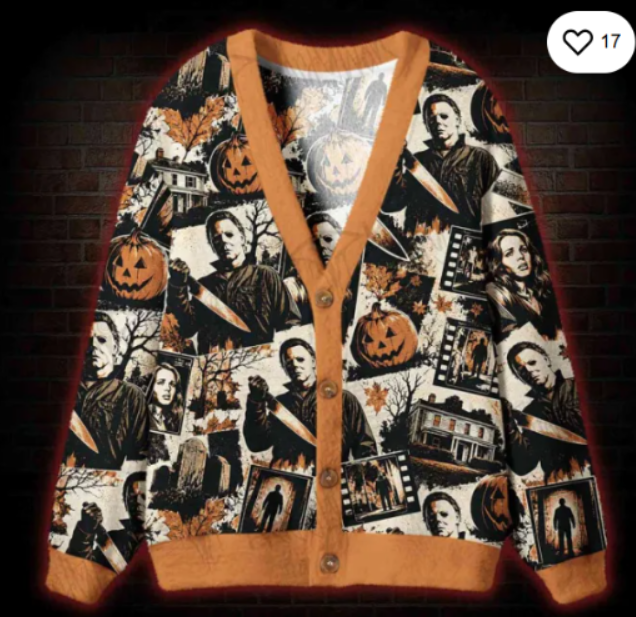
That’s a strong case for making the top layer something you’d actually want to be seen in. One of the nerdy cardigan sweaters with a retro gaming or pixel-art knit pattern reads perfectly on camera: it’s on-theme, it’s clearly a choice rather than a default hoodie, and it sits neatly under a headset. Horror and cryptid motifs do the same job for that side of the hobby. A friend who streams a few nights a week keeps two such knits on the back of his chair and swaps depending on the game.
The headset problem, solved
Hoods bunch under a headband and push earcups off. Turtlenecks are fine but can feel restrictive after four hours. Crew-neck sweaters work but can’t be removed without unplugging.
Open-front knits sidestep all of it. Cardigans, zip-up knits, and open-front fleece vests are the three garments that let you adjust temperature without touching your headset. Of the three, the cardigan looks best on camera and breathes best.
What about the room itself?
Clothing can only do so much in a genuinely cold room. A few cheap adjustments help:
- A small rug under the desk breaks the cold-floor problem for your feet.
- A draft stopper at the door of a spare room makes a noticeable difference.
- A blanket over the back of your chair is easier than a lap blanket and doesn’t get tangled.
- Position the PC tower so its exhaust points toward you rather than the wall, if it’s a tower and not a laptop. Free warm air.
A full setup for a six-hour session
- Merino or cotton long-sleeve base layer
- Mid-weight patterned cardigan, open at the start
- Fleece joggers
- Thick wool socks and hard-soled slippers
- Fingerless gloves within reach for hour three onward
- Blanket on the chair for the late stretch
That covers the whole temperature arc from a cold start to a warm middle to the late-night chill without a single trip to the wardrobe.
Signs you’ve got it wrong
Sweaty back but cold hands means your core is over-layered and your extremities are under-layered. Swap the hoodie for a cardigan and add wrist warmers. Cold all over means the room needs help, not just the clothes; get the rug and the draft stopper. Comfortable for two hours then miserable means you’ve dressed for the start of the session, not the middle.
The short version
Open-front top, warm hands and feet, breathable fabric, camera-ready shoulders. Winter gaming is a marathon, and you should dress like it’s one. The hoodie can stay on the hook until spring. Come summer the problem flips to overheating at the desk, and a breathable nerdy mesh jersey becomes the on-camera layer of choice instead of the cardigan.
